Case Study —02 / 05
Corporate Banking Portal
Visuals are illustrative recreations — details generalized under NDA
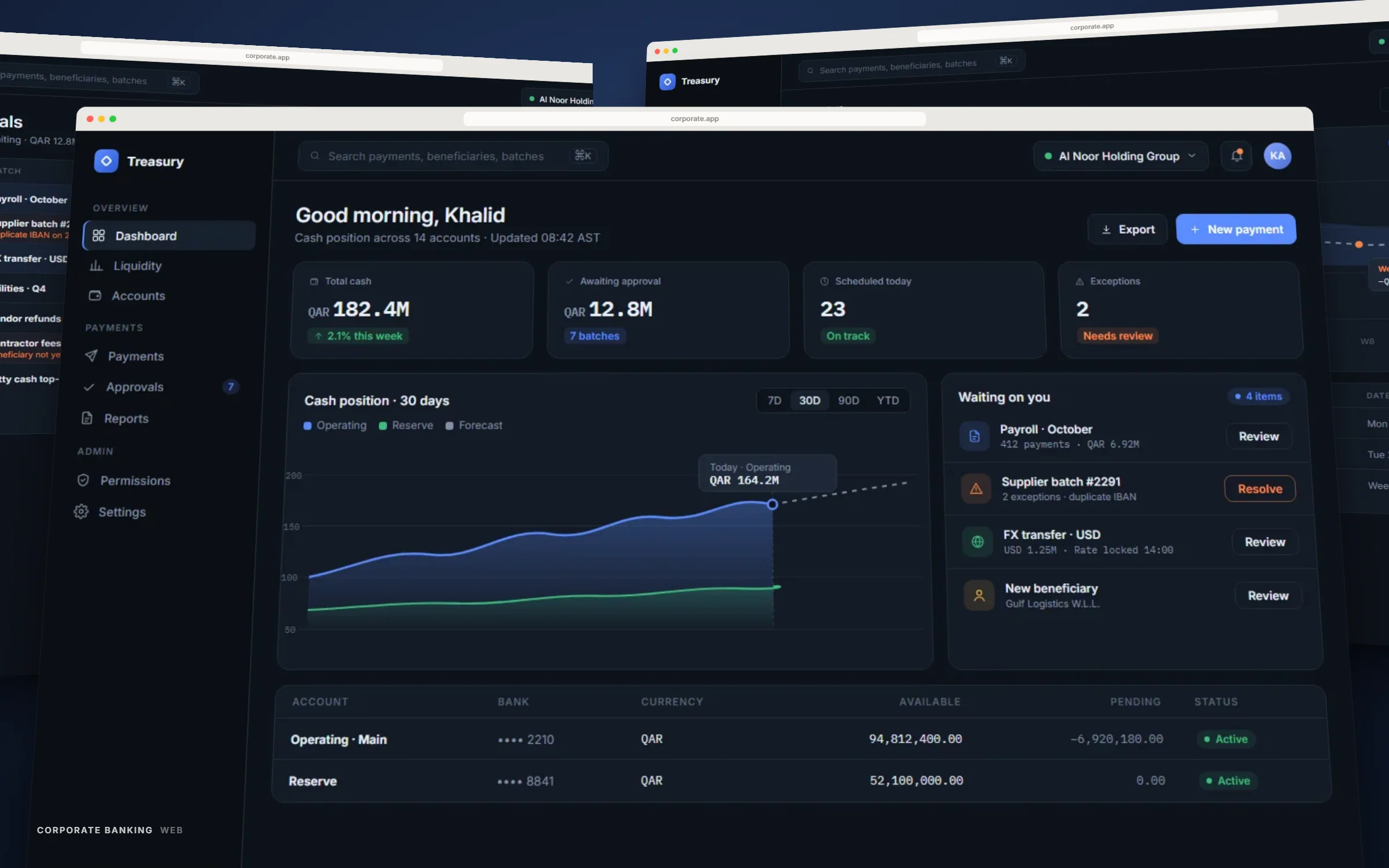
Overview
Product
Corporate banking web portal
Client
Confidential fintech client
Role
Product Designer — dashboard & approvals workflows
Timeline
9 months, Mar – Nov 2025
Responsibilities
Workflow mapping, Information architecture, Dashboard & data-table design, Approval-chain UX, Design system components
Problem
Treasurers were managing millions in transfers through a spreadsheet-era interface
Corporate clients approve bulk payment batches, monitor cash positions across accounts, and route sign-off through two or three levels of authorization — all inside a portal that treated every one of those as a separate, disconnected screen. Treasury teams were exporting data to reconcile it themselves.
The stakes are different from a retail app: a single approval batch can represent a company's entire payroll run, so the interface has to make the state of every pending action unambiguous at a glance.
Challenge
Designing for density without designing for confusion
Corporate users wanted more information on screen, not less — batch totals, per-line exceptions, approver status, account balances across entities. The challenge was building genuine data density that still resolves cleanly at a glance, instead of the generic enterprise-software failure mode of dense tables nobody can parse under time pressure.
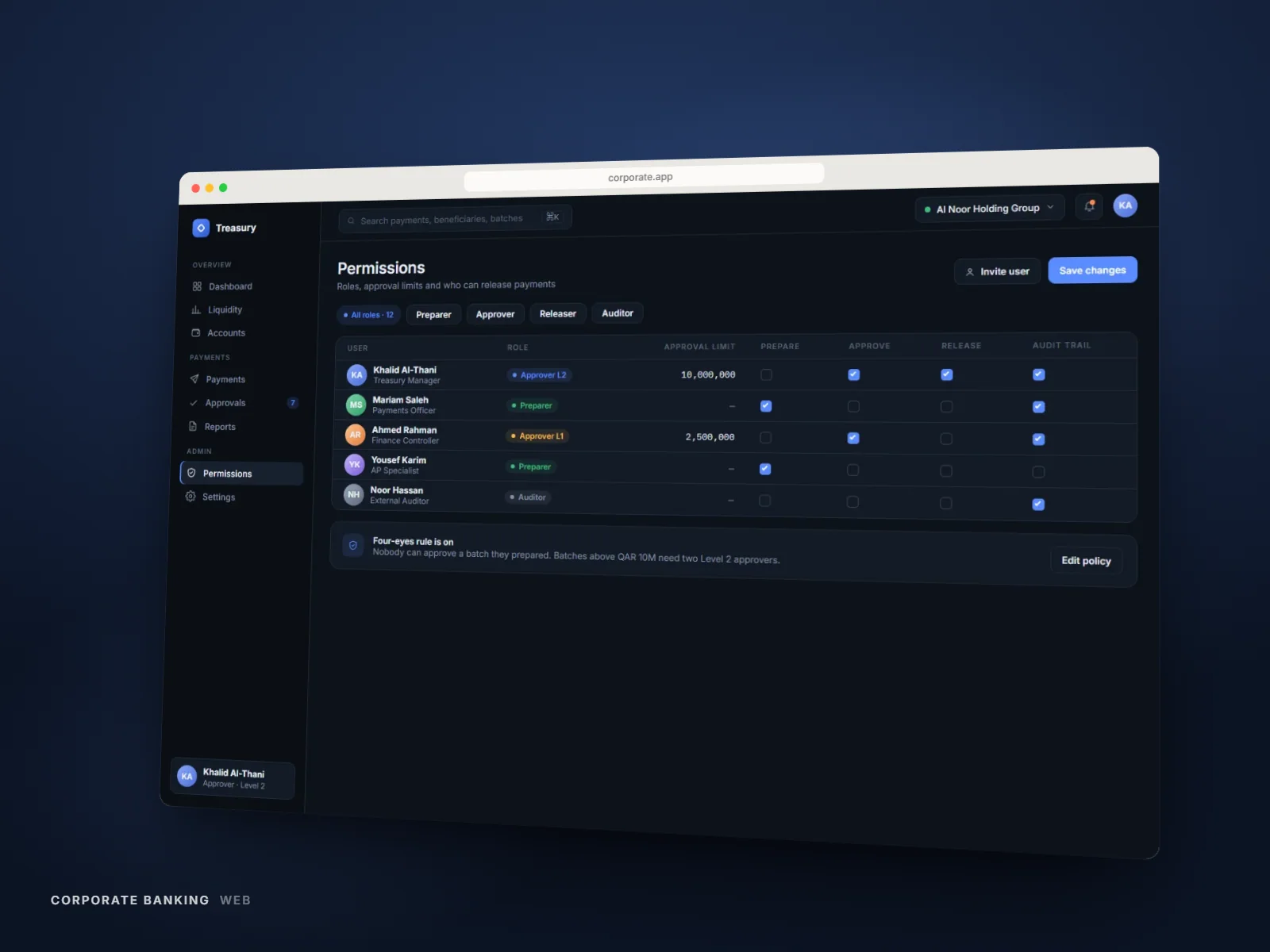
Multi-level approval chains also needed to be legible to three different roles — initiator, approver, auditor — from the same underlying data, without three separate interfaces to maintain.
Approach
Research
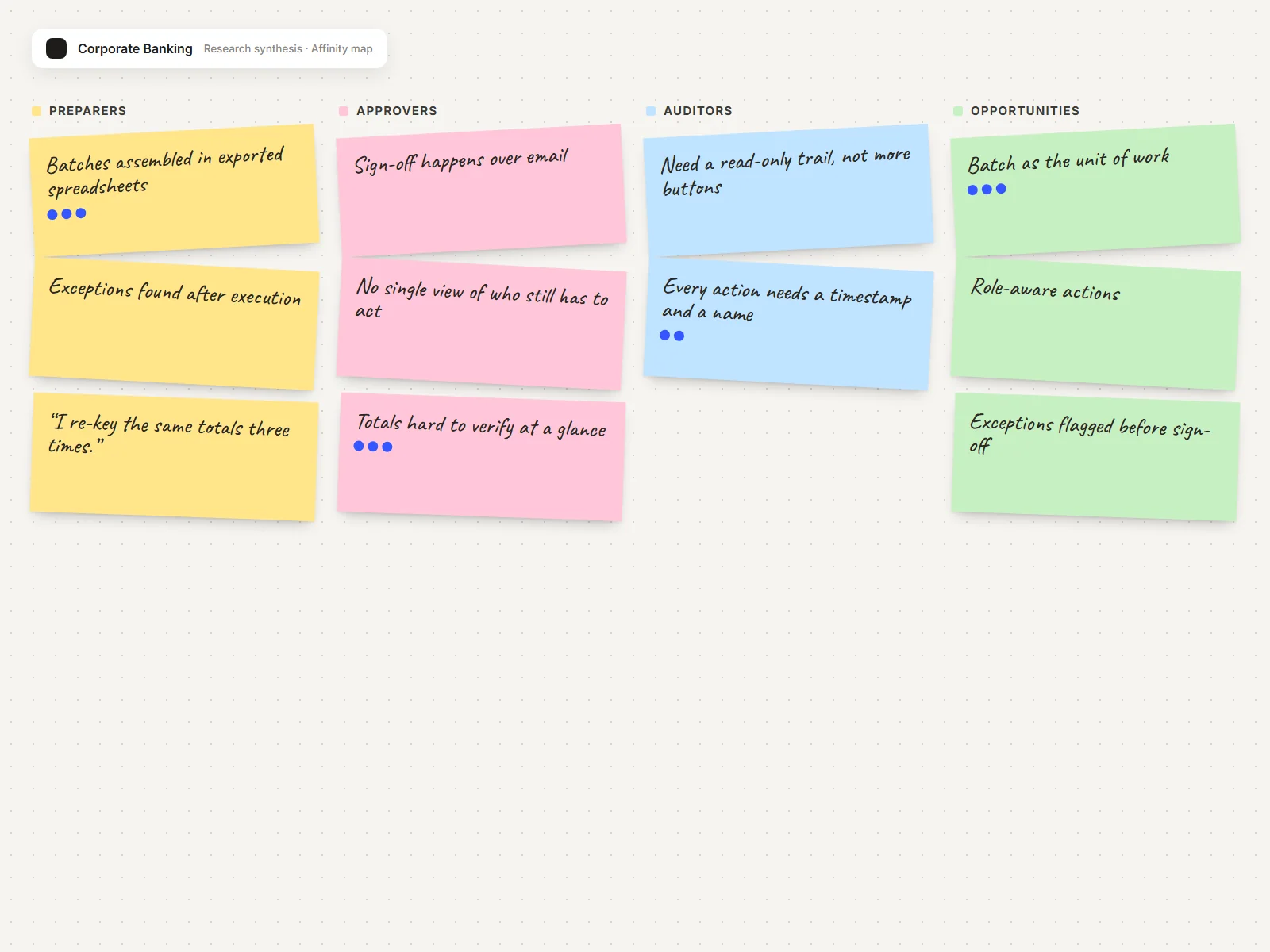
Shadowed treasury operations teams across two client organizations to map how approval batches actually move through their internal process, not just how the existing portal assumed they would.
User flows
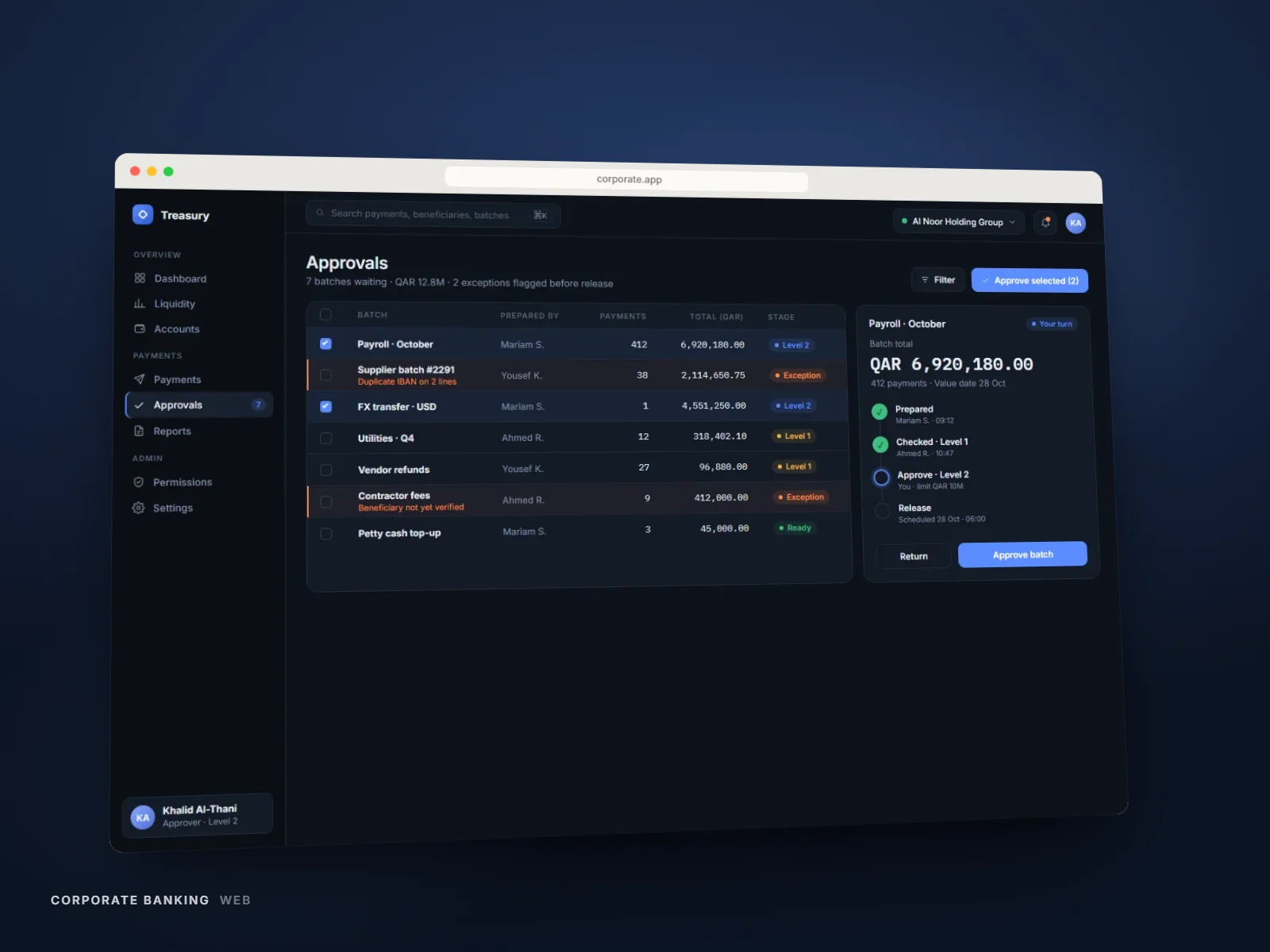
Modeled the full approval-chain state machine — draft, pending, partially approved, rejected, executed — so every screen could reflect one unambiguous status.
Wireframes
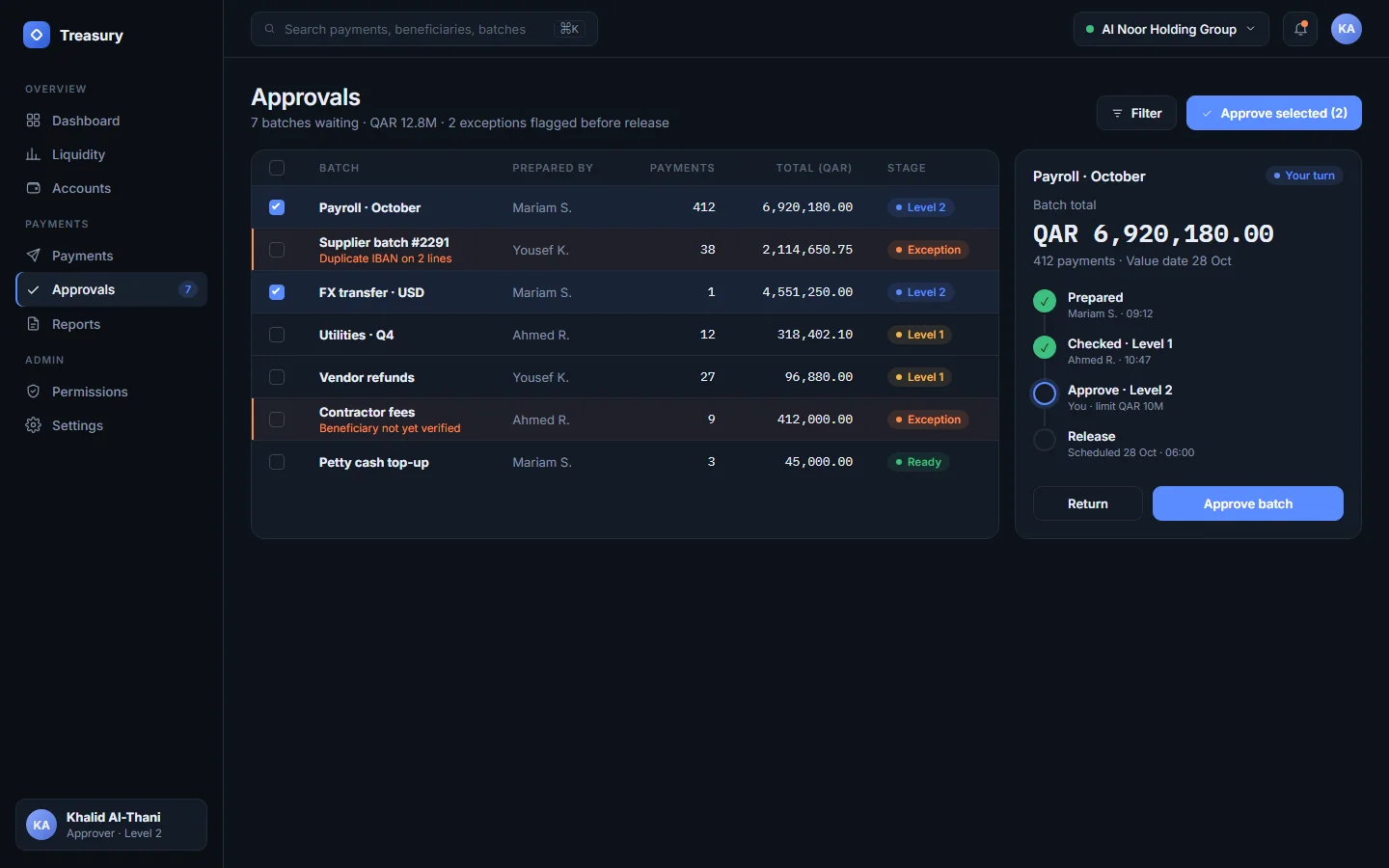
Prioritized a persistent batch-summary pattern that stays visible while a user drills into line-item exceptions, tested against real (anonymized) payment batches.
UI design
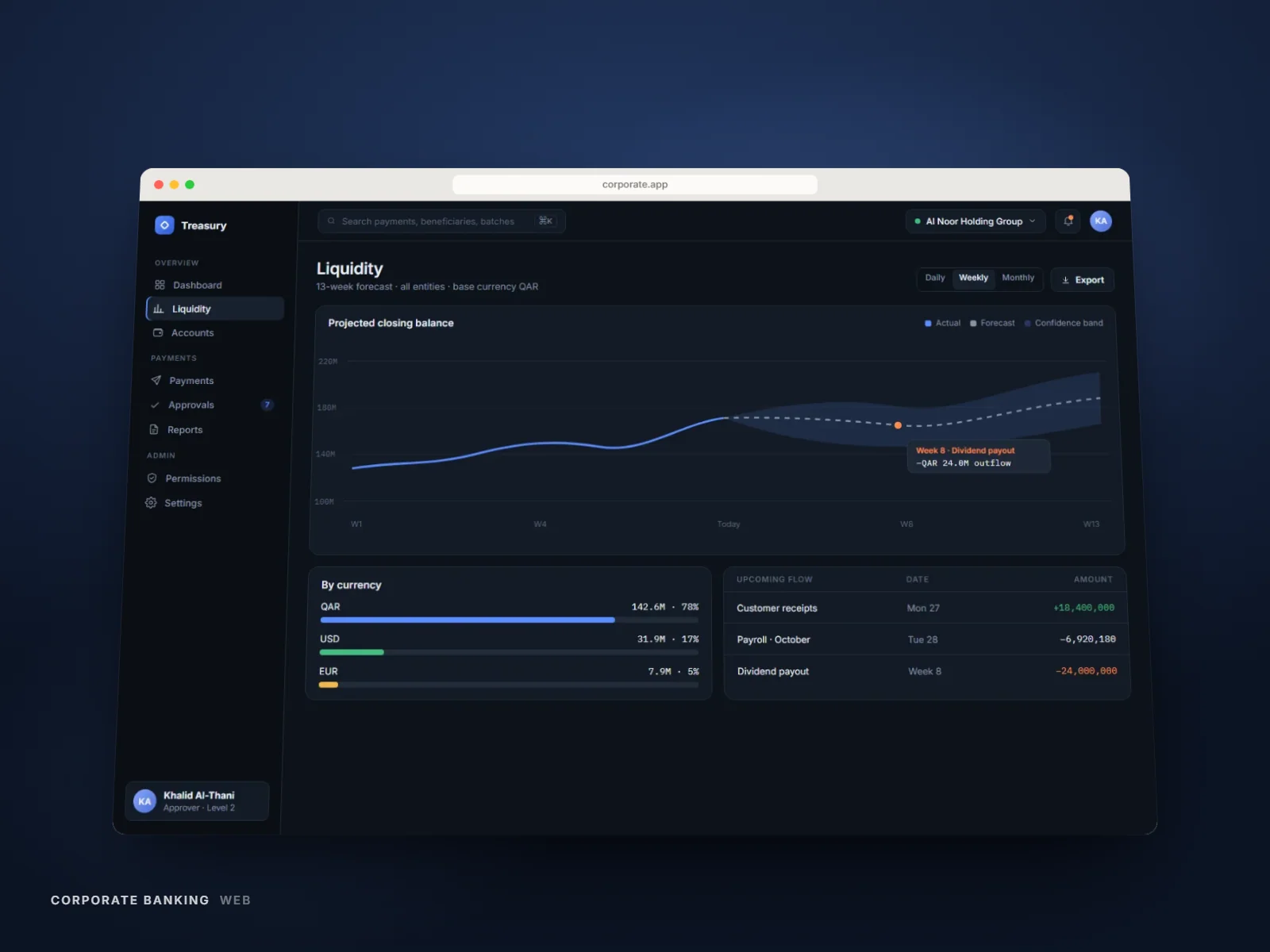
Built a dense but scannable data-table system with a consistent exception-highlighting language, contributed as new components to the bank's shared design system.
Prototype & testing
Validated the approval flow with treasury operations staff across all three roles, tightening the auditor view after testing showed it needed less interactivity, not more.
Anatomy
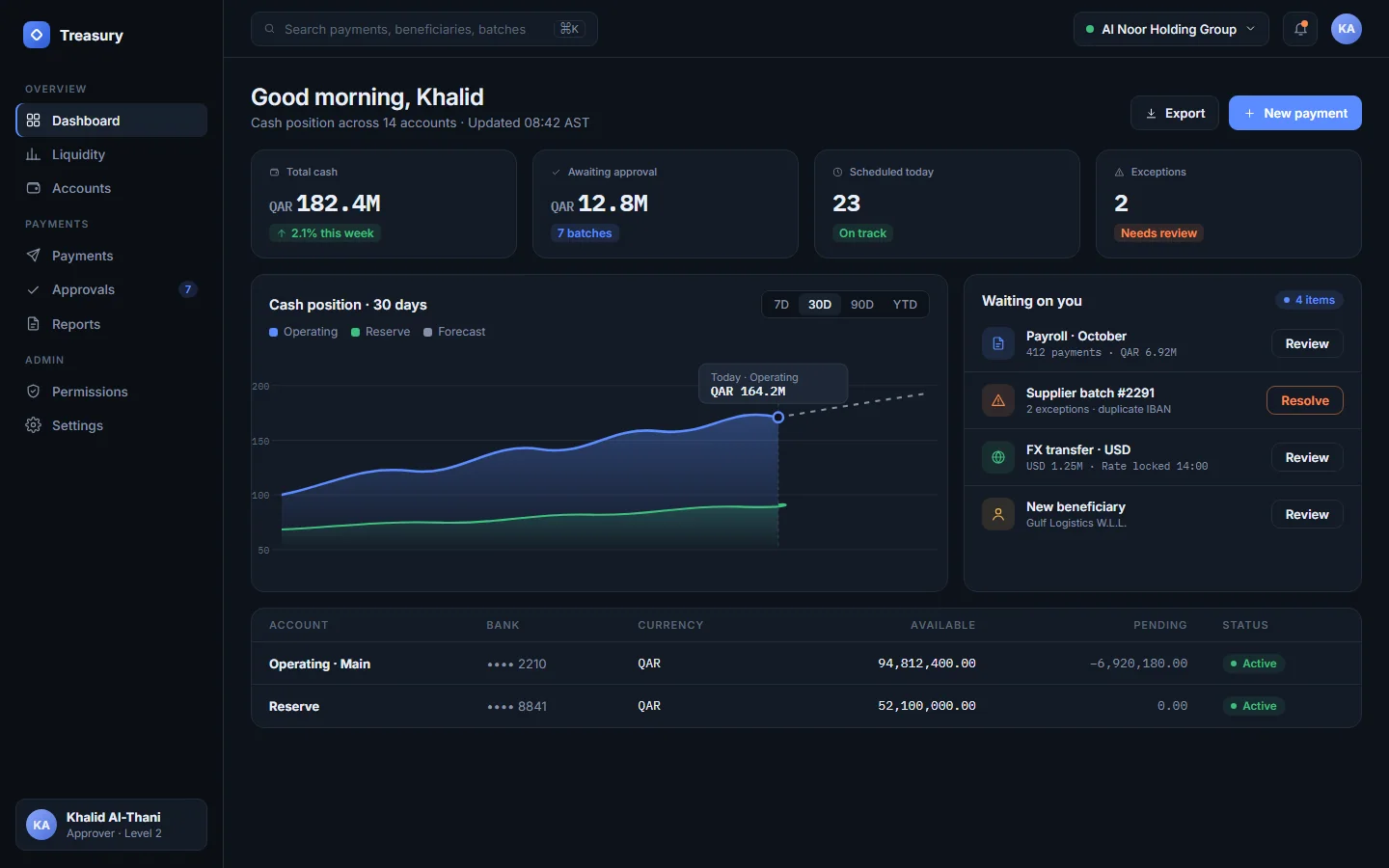
A dense tool, built in deliberate layers so the number that matters reads first
Scroll to take the screen apart ↓
- 01Surface
- 02Imagery
- 03Cards & containers
- 04Typography
- 05Controls
- 06Navigation
- 01Surface
- 02Imagery
- 03Cards & containers
- 04Typography
- 05Controls
- 06Navigation
Process
Research
Sessions with treasury operations staff across preparer, approver and auditor roles mapped where spreadsheets were filling gaps.
01
Research
Sessions with treasury operations staff across preparer, approver and auditor roles mapped where spreadsheets were filling gaps.
02
Wireframe
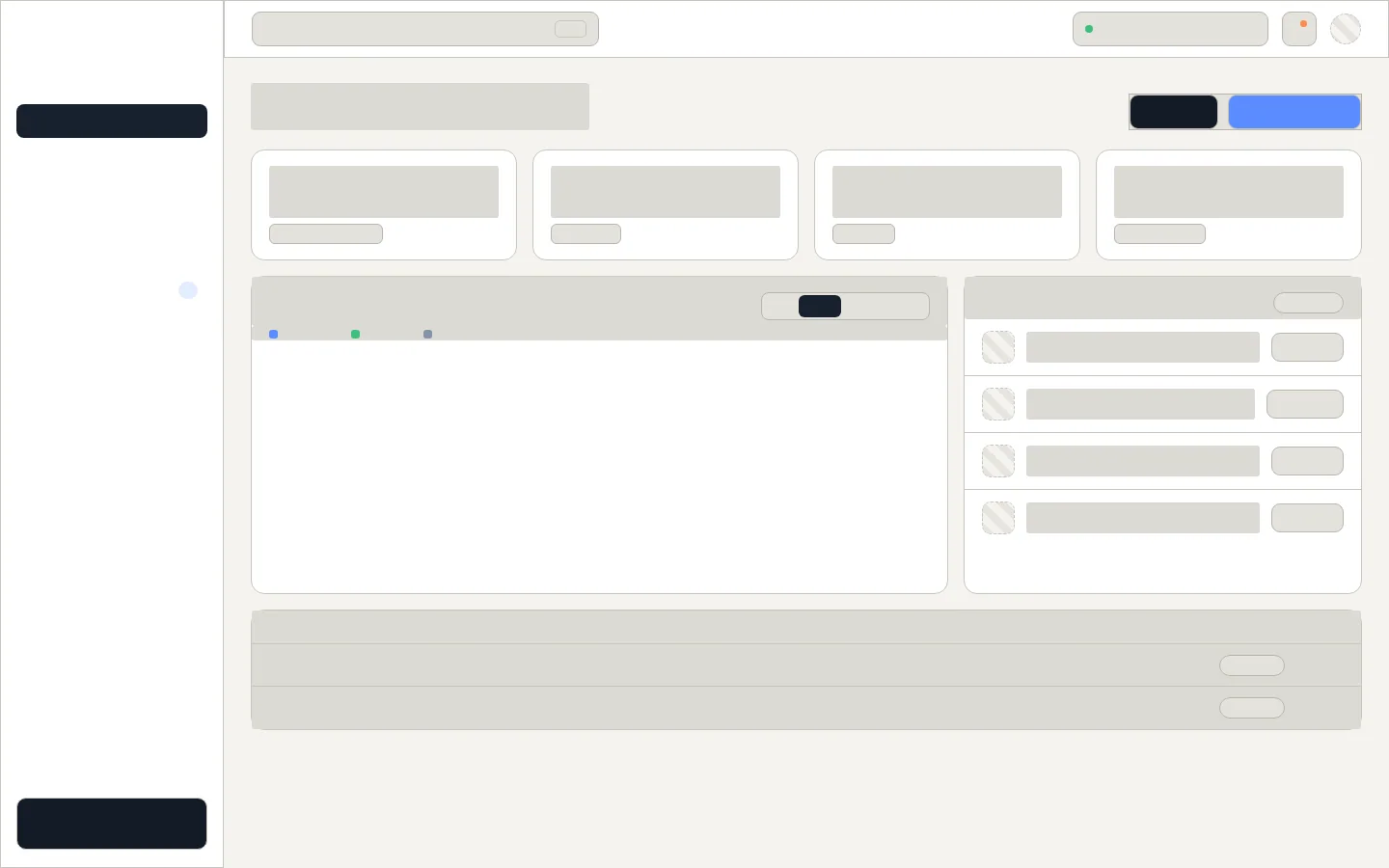
Wireframes centred every screen on the batch: its total, its status, and who has to act next.

03
Prototype
The approval chain prototyped end to end and validated across all three roles.
04
UI
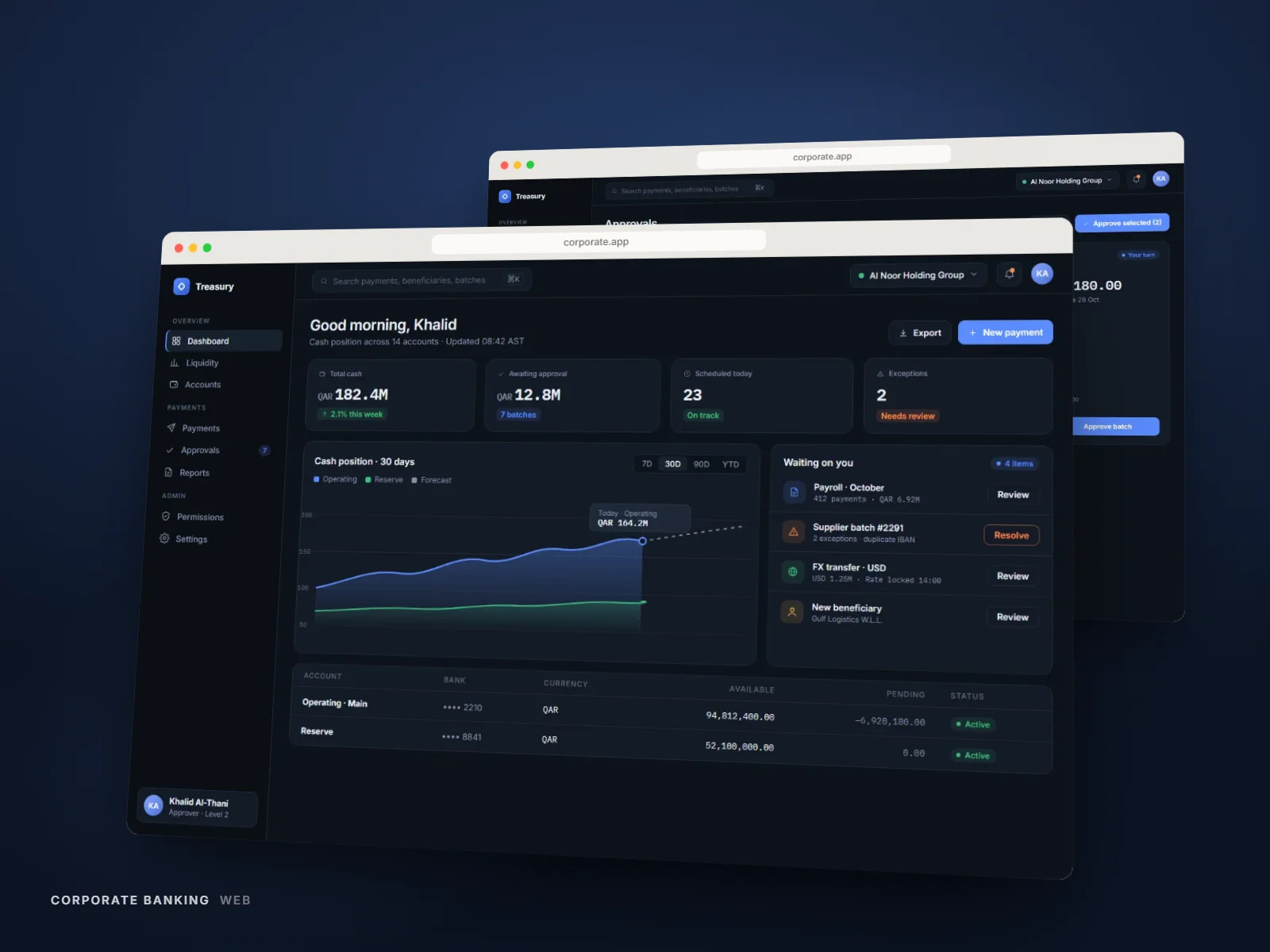
Mono numerals for alignment, one status palette, and a role-aware action bar.
05
Final
One role-aware workspace in place of exported spreadsheets and separate tools.
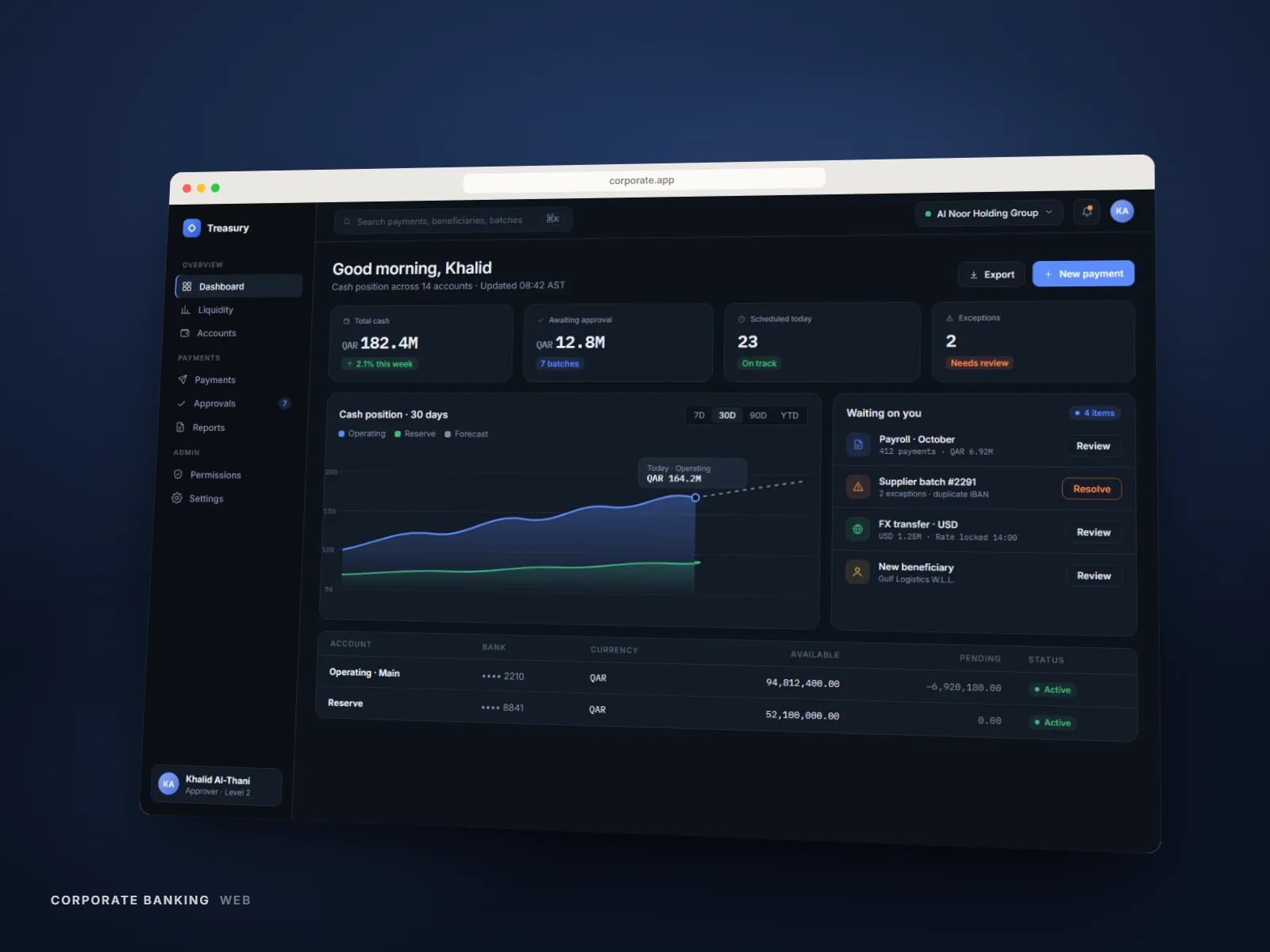
One dashboard in place of exported spreadsheets.
Gallery
Bulk payment batch approval screen with exception highlighting
Design System
Tokens
- Status — pending#8A8780
- Status — approved#3FBF7F
- Status — exception#FF5C28
- Data table row height40px / 48px dense
Typography
- Table data set in the shared enterprise mono at 13px for numeric alignment
- Batch totals set one step larger and weighted, so the number that matters most reads first
Components
- Approval-chain stepper
- Exception-flagged table row
- Batch summary card
- Role-aware action bar
Results
One view
Role-aware workspace replacing separate interfaces
Earlier
Exceptions surface before a batch executes, not after
Faster
Batch reconciliation versus the spreadsheet workflow
Outcomes are described qualitatively — production metrics are confidential.
Next Project